Network Connectivity Issues
There are several ways of troubleshooting network connectivity issues between dbWatch Servers and dbWatch Clients.
Connection info view
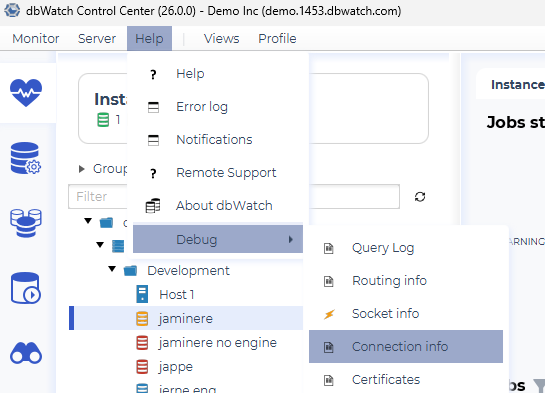
From the Help → Debug menu, you can access the Connection Info view.
This opens a new window with connectivity information for each of the dbWatch Servers the client is trying to communicate with:
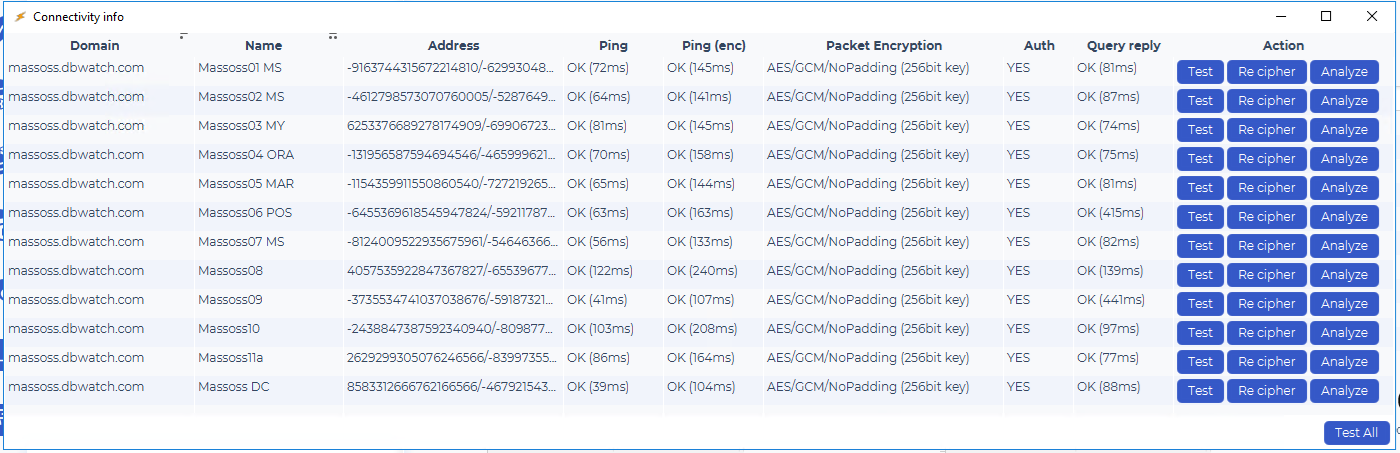
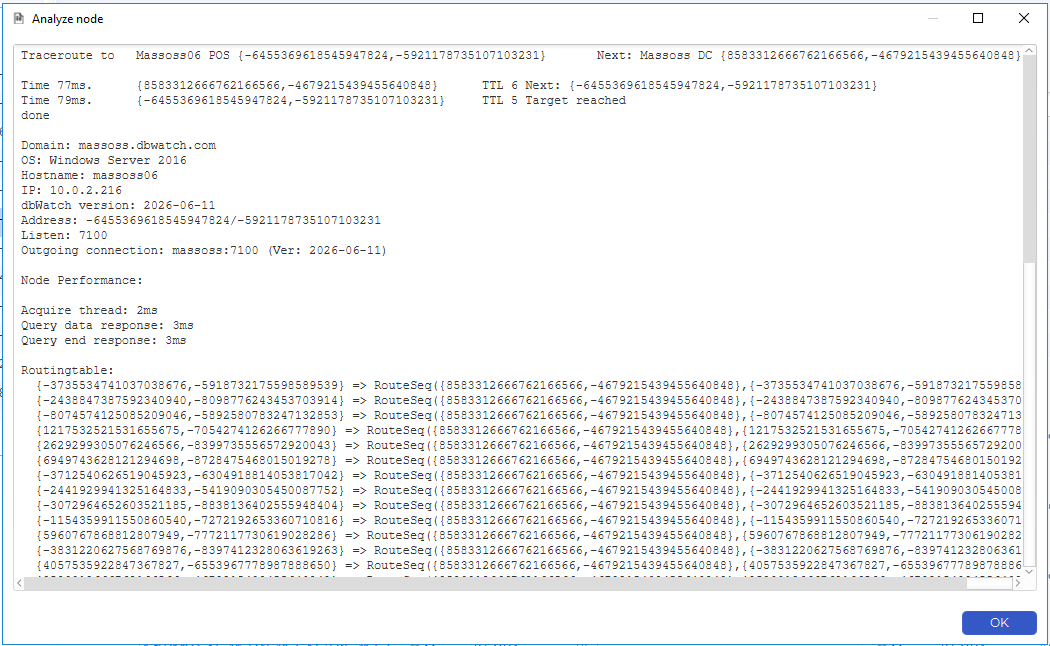
By clicking on the Analyze button, you can get more detailed information about the dbWatch Server.
This will include a traceroute to the dbWatch Server, and more detailed information about the state of the Server.
Socket info view
From the Help → Debug menu, you can access the Socket Info view.
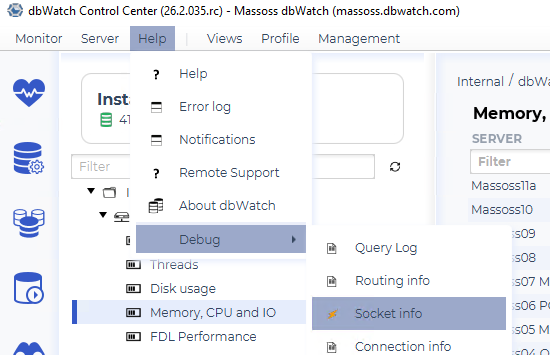
This opens a new window with information about the sockets on the client.
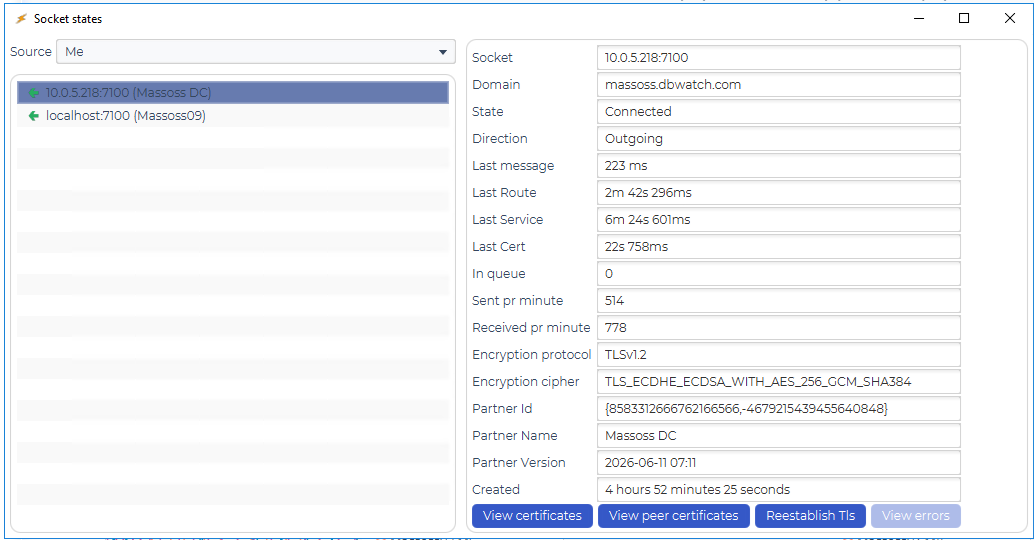
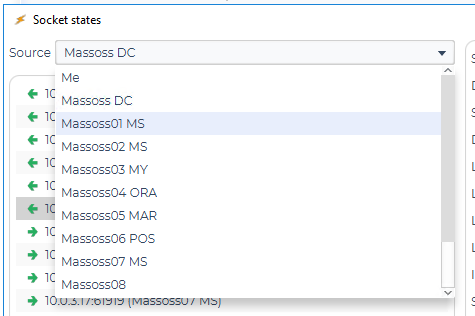
You can select other nodes in the dbWatch network in the drop-down menu, and the socket information for that node will be displayed.
Log files
The network.log file
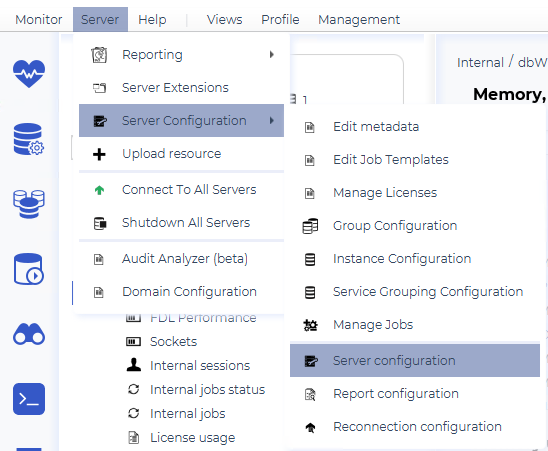
You can activate the Network Log from the Server → Server Configuration → Server configuration menu.
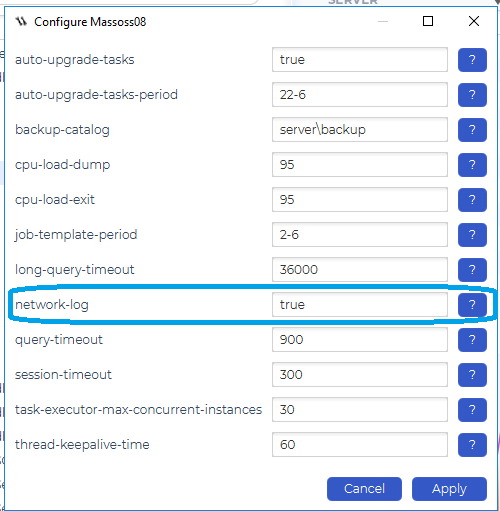
Set network log to true. This will create a log file called network.log in the standard log catalog on the dbWatch Server.
This file will contain information about the network-related events on the Server.
You can also activate this file on the client. The client will write to the file if it exists in the client standard log catalog. So to start the logging, create the file (make sure the client has write privileges). To stop the logging, delete/remove the file.
The deep_network.log file.
It is possible to get a dbWatch Server to dump information about the types of messages it receives. Be aware that this can be a lot of information and affect performance, so do not leave it on for an extended period of time.
Activate the deep network log by editing the tuning.properties file located in the “/config/node/” catalog on the dbWatch Server. Add a line with the following:
debug.network = trueAfter a short period of time, the dbWatch Server will start writing to the deep_network.log file located in the standard log catalog on the Server.
To stop the logging, set the value to false or remove the line.
Network Layout
You can access details about the network layout from the Help → Debug → Network layout menu.
See Network Layout for details.