Notes
dbWatch allows you to attach notes to jobs, instances and servers.
You can access the notes dialog by right-clicking on a instance/job/server, and selecting “Notes” on the menu,
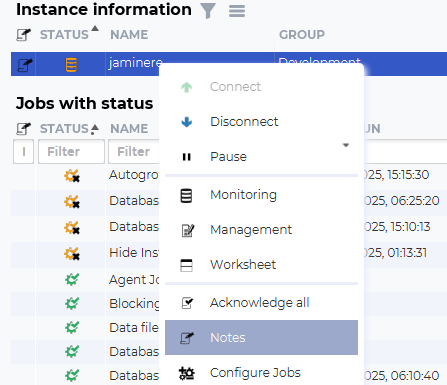
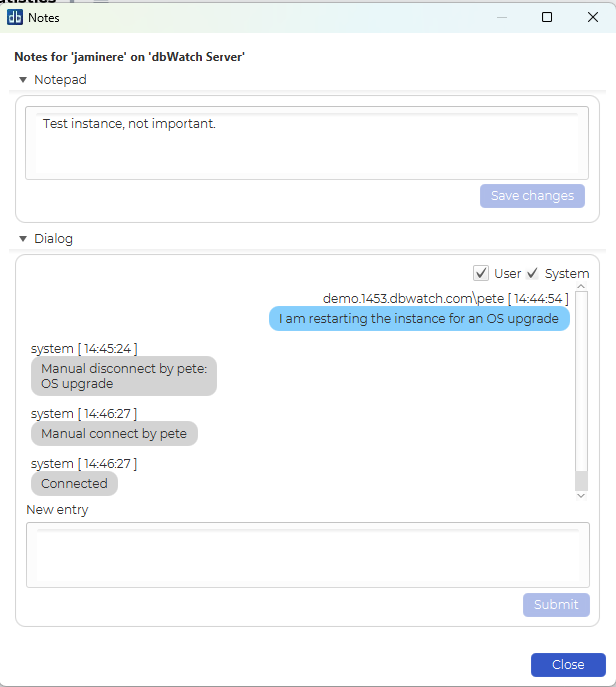
The notes view has two sections.
The top is for a freetext notepad that can be used to add descriptions or information that are relevant for this instance/job/server.
The lower part is a dialog style log for this instance/job/server. You can write comments, and it will be presented as a dialogue with a time stamp and person who wrote the comment.
You can filter the dialog to see only user comments, or system comments from dbWatch.
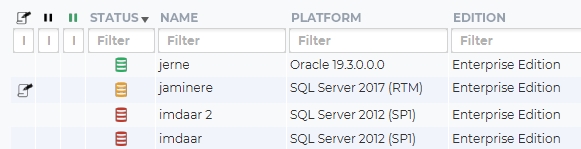
In the main monitoring view, the first column will contain a note icon if there is an attached note. This makes it easy to see if anybody else (or you) has written something that could be relevant to any issue you might be trying to fix.