Offline Instance Details (Lost Connection Mode)
When an instance enters the LOST CONNECTION state, Control Center switches to a dedicated view named Offline Instance details.
This view helps you diagnose why the instance cannot be reached and displays the most recent job results available from before the disconnection.
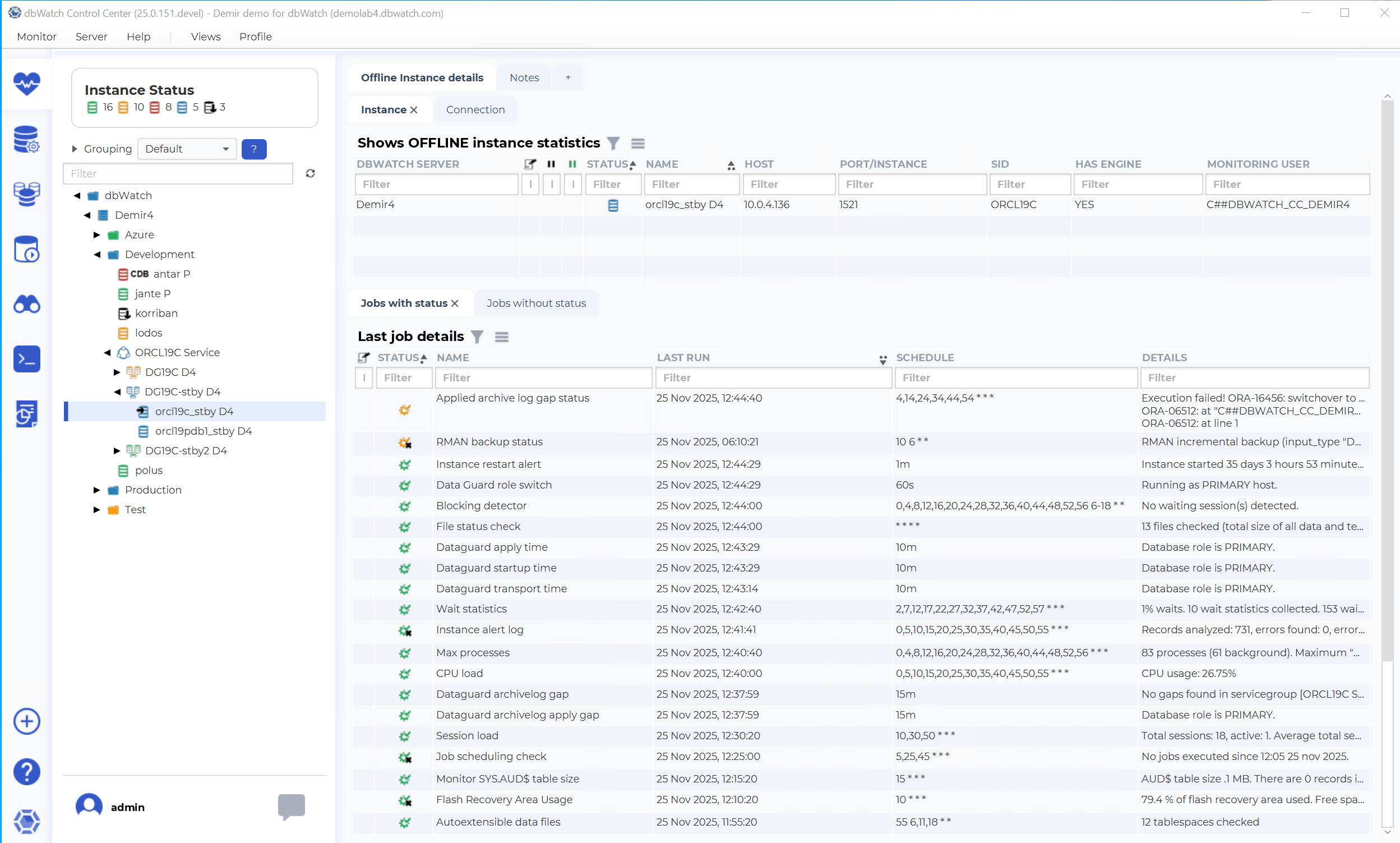
The Offline Instance details page contains four tabs:
1. Instance
2. Connection
3. Jobs with status
4. Jobs without status
The job-related tabs show the last known job information from before the connection was lost, regardless of whether you are on the Instance or Connection tab.
Instance Tab
The Instance tab displays the instance configuration and connection parameters as defined in the Instance configuration menu.
It includes information such as:
- dbWatch server
- Instance status
- Name
- Host
- Port / Instance
- SID
- Engine user / Monitoring user
- Whether engine and monitoring users are present
- Other configuration attributes
This tab mirrors the structure of the normal instance view, but displays the values available from the last successful connection.
Connection Tab
The Connection tab displays connection-specific diagnostic information for:
- Monitoring user
- Property user
Both users are tested independently, and the tab displays detailed connection results for each.
This view is helpful for diagnosing:
- Authentication failures
- Permission issues
- Oracle startup mode problems
- Incorrect user configuration
- Switchover/switchback inconsistencies
In the example
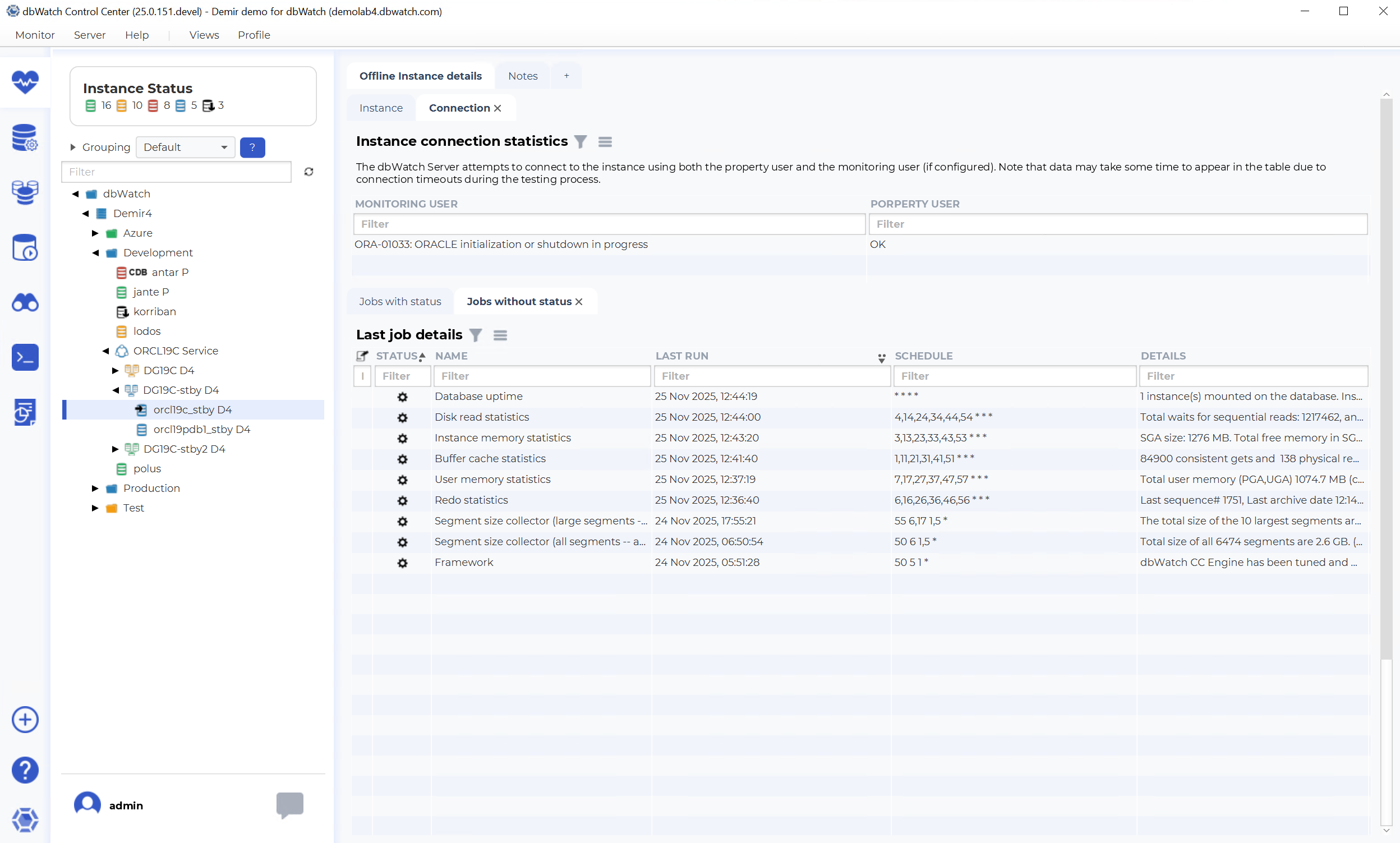
- The monitoring user shows the error:
ORA-01033: ORACLE initialization or shutdown in progress
- The property user connects successfully.
This example illustrates an Oracle standby database that used to be a primary. After a Data Guard switchover, the monitoring user was not transferred to the new primary because the Transfer specification step in Instance configuration was not yet performed.
The property user works because it connects as SYSDBA, and the database is currently in MOUNT mode.
Jobs with Status (Offline View)
This tab shows the last known job results before the connection was lost, including:
- Status
- Name
- Last run
- Schedule
- Next run
- Details
- Job note indicators
No status information is updated while the instance is offline.
Jobs without Status (Offline View)
The Jobs without status tab follows the same structure as the regular view but contains the last recorded historical/trend data from when the instance was last reachable.
No new trend data is collected until the connection is restored.
Summary of Usage
The Offline Instance details view is designed to assist with:
- Troubleshooting connection failures
- Identifying whether the monitoring user or property user is failing
- Checking whether the database is in the correct state (OPEN, MOUNT, STARTUP)
- Detecting misconfiguration after Oracle Data Guard switchovers
- Reviewing the most recent monitoring data prior to the outage