Remote Launchers
From the dbWatch Monitor you can launch other tools and applications directly with command arguments linked to a specific instance.
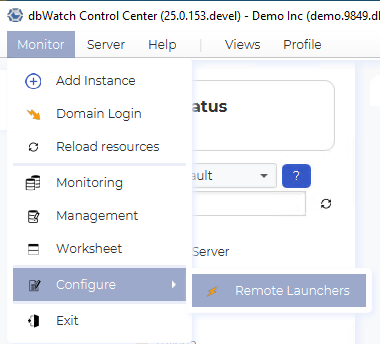
To configure Remote Launchers, go to Monitor / Configure / Remote Launchers
This brings up the Configuration Dialog. By default, two launchers are defined. Remote Desktop and Ping
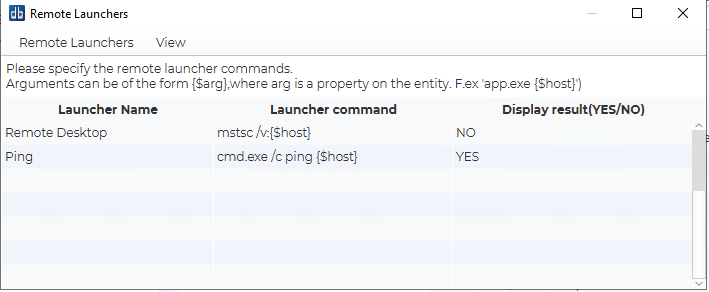
Definitions consists of a name and an OS command. The OS command can include properties and metadata that are defined on an instance. They are referenced with the syntax “{$property_name}”.
The display result column defines if the result from the OS command should be displayed. If the command is a terminal type command with text feedback, then YES will be appropriate. If the command launches a GUI, then NO will be normal.
The defined launchers will appear at the bottom of the menu when right-clicking an instance.
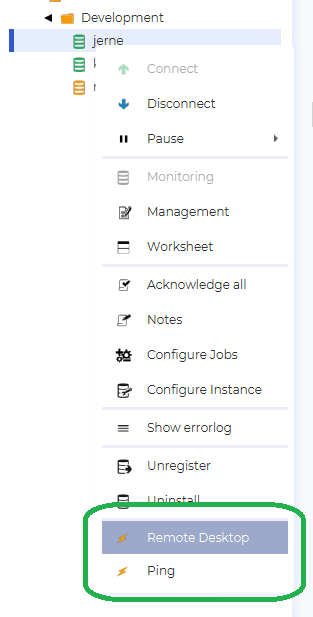
By selecting Remote Desktop, the Remote Desktop application will be launched with the appropriate host argument already specified.
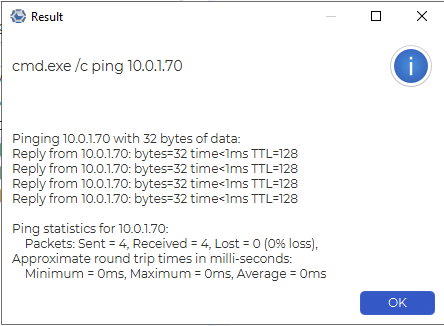
By selecting Ping a ping result for the appropriate host will be displayed.