Farm Module Drilldown
The Farm module in dbWatch Control Center allows you to drill down from a farm-wide view into more detailed information per domain, platform, and instance.
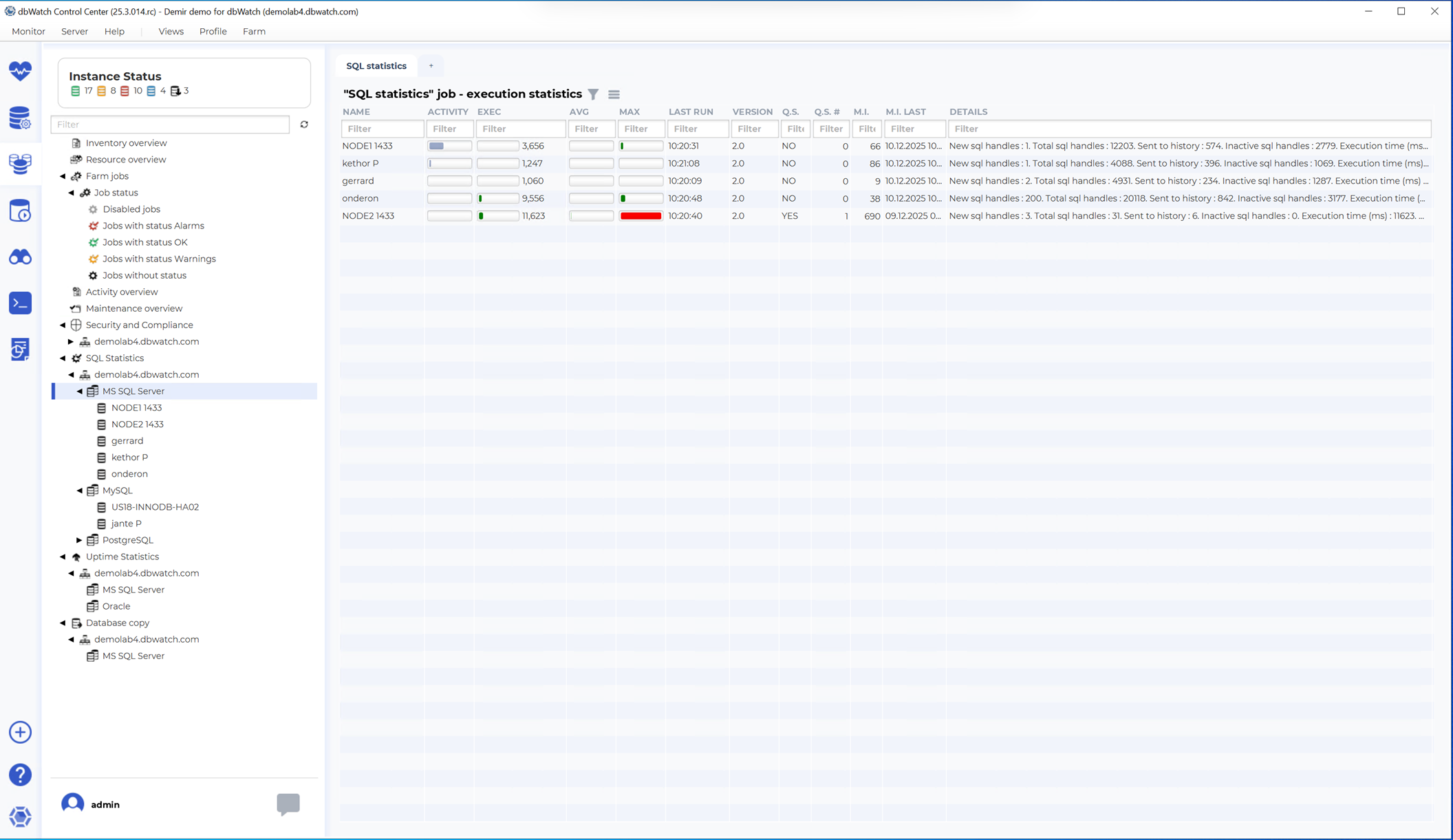
This page describes how the drilldown mechanism works and references the corresponding screenshot.
Overview
The drilldown feature provides an easy way to explore detailed statistics for specific dbWatch Control Center modules.
When viewing a farm dashboard, you can select a module (for example SQL Statistics, Jobs, Activity, Maintenance, or Uptime) and then navigate deeper into the structure of your database farm.
This allows you to move from a complete farm overview down to the level of individual servers and instances.
Drilldown Levels
The drilldown follows the hierarchy used inside dbWatch Control Center:
1 dbWatch Domain The top-level grouping of all your registered instances. Selecting a domain filters the farm-wide module information to the chosen environment.
2 Platform Within each domain, data can be grouped by platform, such as: - Microsoft SQL Server - Oracle - PostgreSQL - Other supported platforms
Choosing a platform narrows the module results to only the instances belonging to that platform.3 Instance The final level displays detailed module results for a single instance. This may include SQL statistics, job status, resource usage, sessions, maintenance configurations, uptime details, or other module-specific information.
These levels make it possible to quickly locate outliers, troubleshoot issues, and compare behavior across environments.
Example: Drilling Down in SQL Statistics
In the example shown, the SQL Statistics module is selected.
The drilldown process works as follows:
- Start at the Farm level to see aggregated SQL statistics across all instances.
- Select a domain to filter results for that environment only.
- Choose a platform to further focus on a specific database technology.
- Select a specific instance to review detailed SQL repository statistics for that server.
This approach makes it easy to identify which domain or platform contributes most to overall SQL activity, and to analyze specific SQL workloads at the instance level.
Benefits of Using Drilldown
The drilldown system provides several advantages:
- Clear navigation from global farm-level information down to specific instances
- Faster identification of problem areas or performance trends
- Consistent structure across all dbWatch CC modules
- Reduced complexity when managing large numbers of database servers
- Support for cross-platform farms with mixed database technologies
This feature is particularly useful in large-scale environments where consolidation of information is essential.
License Information
Note: Some modules displayed in the drilldown hierarchy require that the corresponding dbWatch Control Center license is installed and active.
If a module is not licensed, its drilldown pages will not be visible.