Farm Views
The Farm module in dbWatch Control Center provides several overview pages that summarize the state, performance, and configuration of your entire database farm.
This document describes each Farm view and references the corresponding screenshots in order.
Note: Some Farm views will only be available if the corresponding dbWatch Control Center license module is installed and in use.
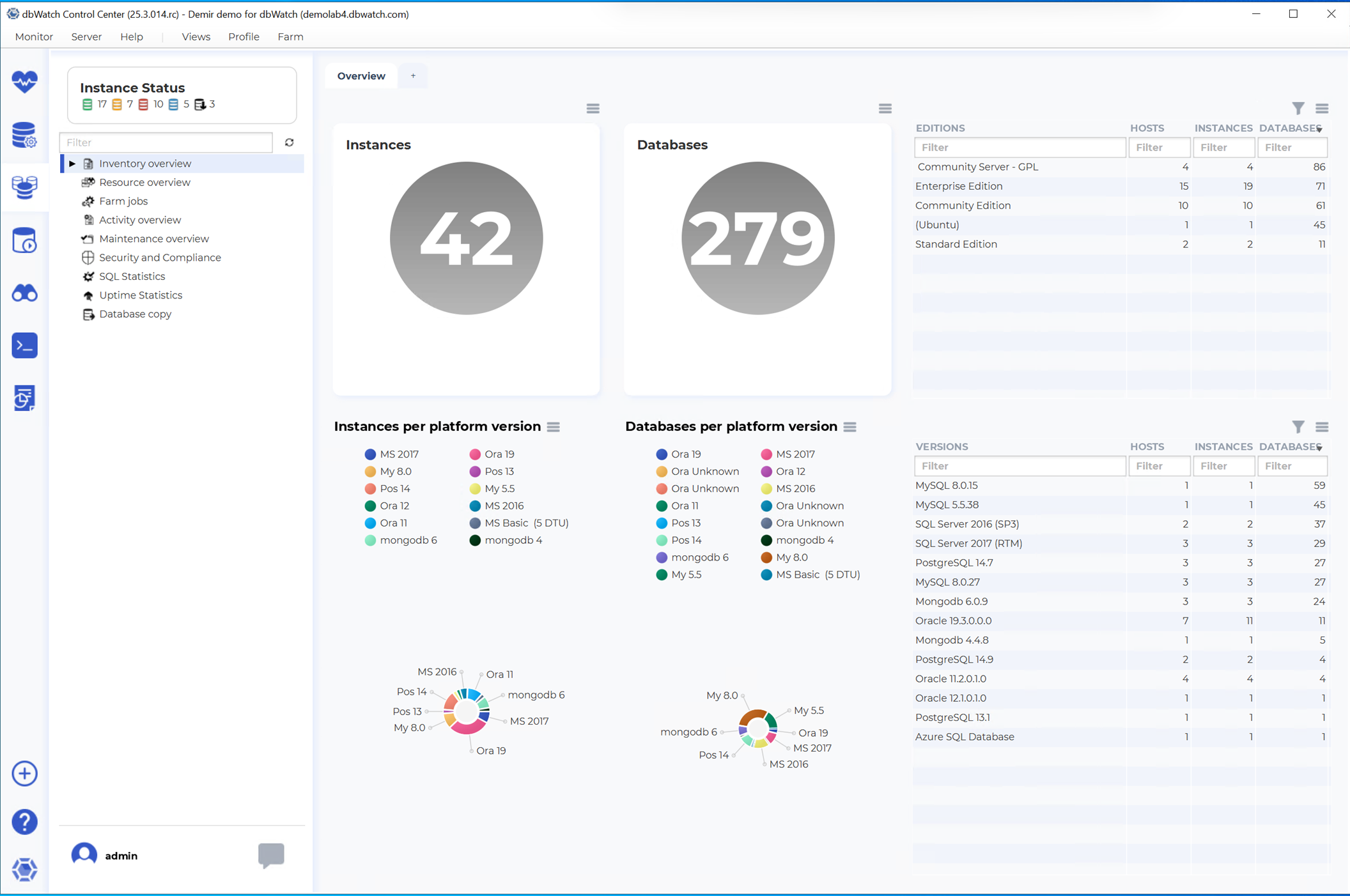
Farm Inventory View
The Farm Inventory view presents a high-level overview of your environment, including:
- Number of registered instances
- Number of databases
- Database editions in use
- Instances per platform version
- Databases per platform version
Additional breakdowns are provided per platform, per edition, and per version.
Farm Resource Overview
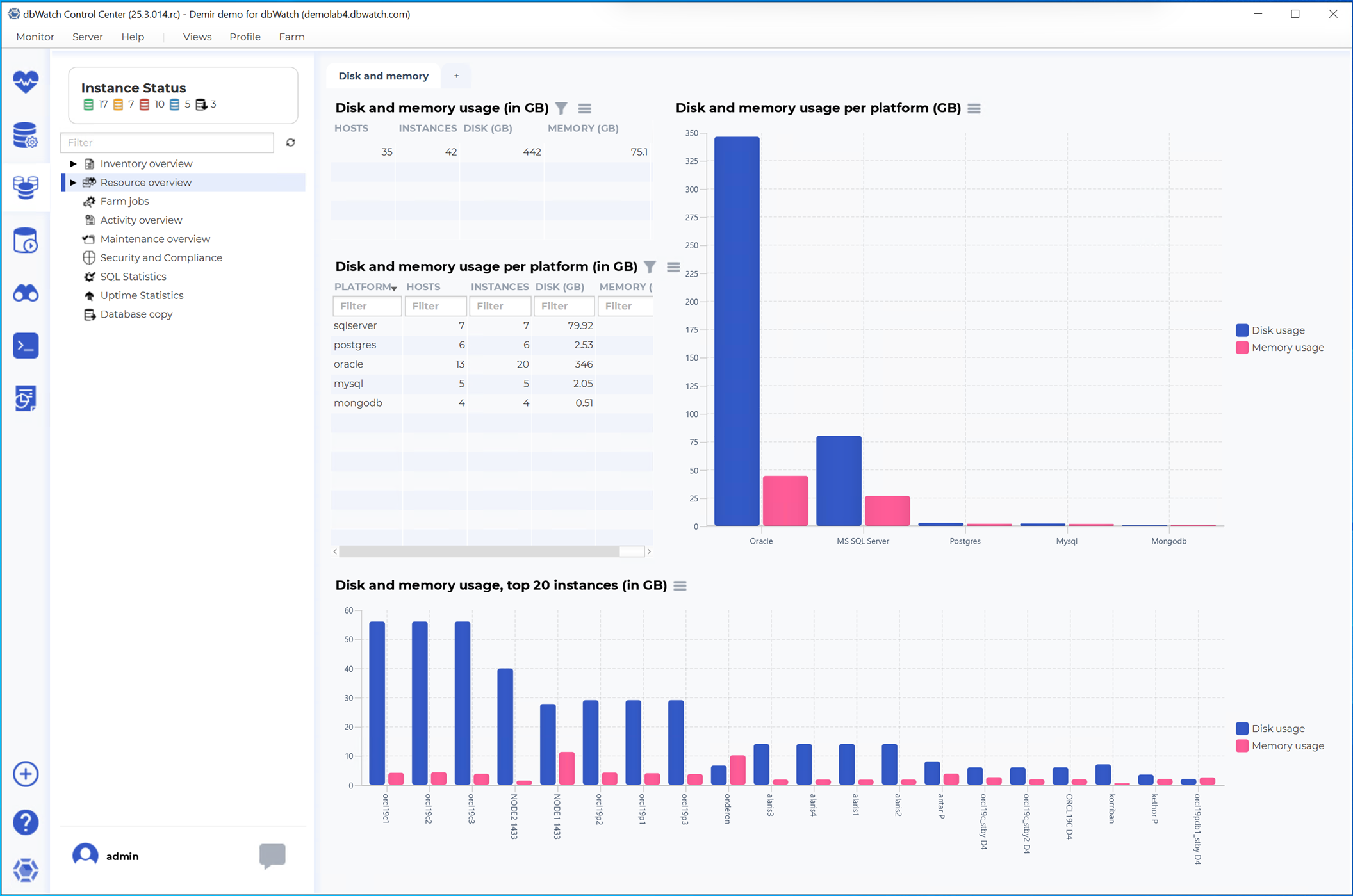
The Farm Resource overview shows aggregated resource usage across instances:
- Disk and memory usage in GB
- Resource usage grouped per platform
- Disk and memory usage for the top 20 instances
- Separate summaries per Disk and per Memory
Farm Jobs View
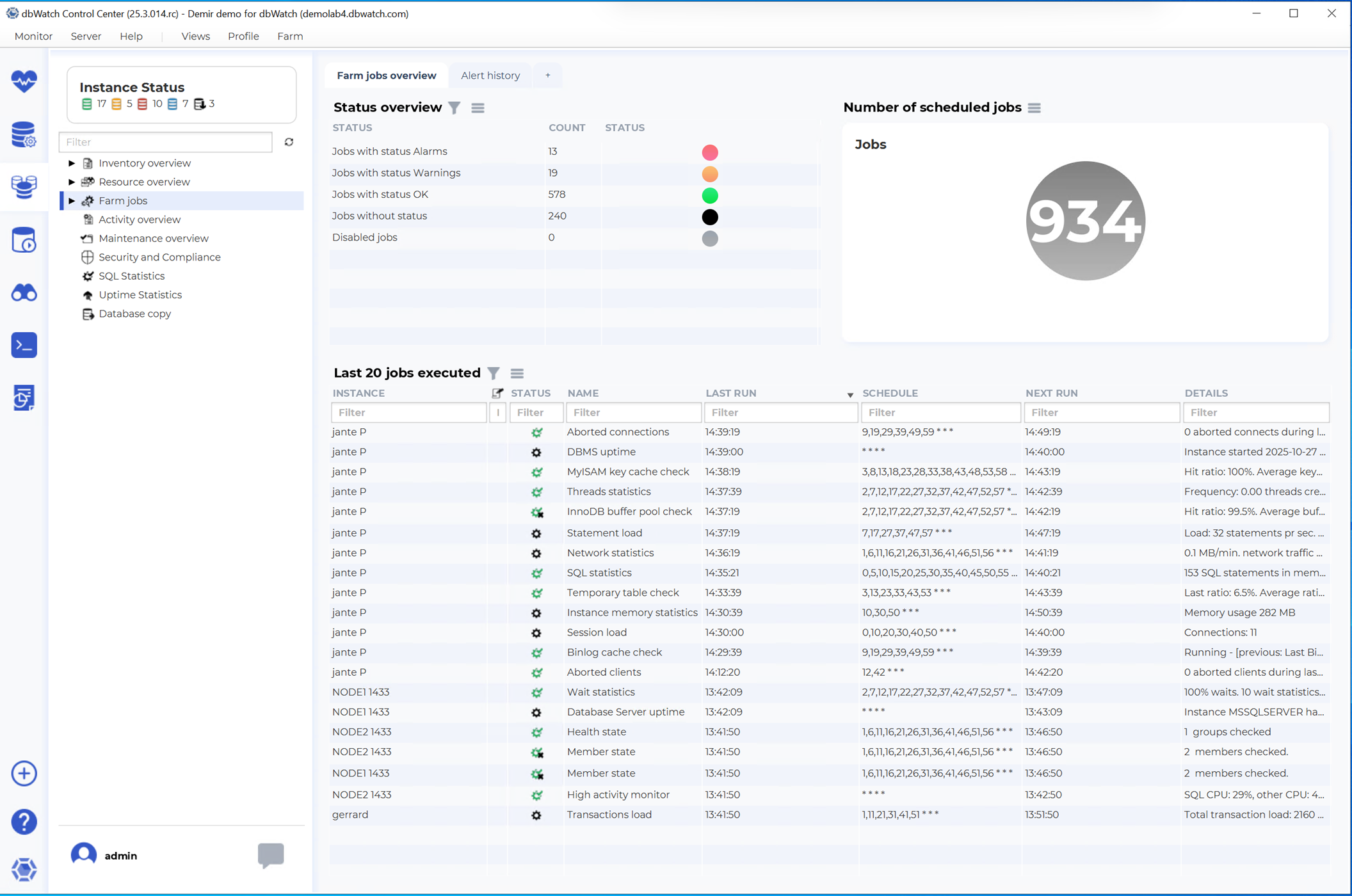
The Farm Jobs view shows an overall status of dbWatch Control Center jobs:
- Jobs in Alarm
- Jobs with Warnings
- Jobs OK
- Jobs without status
- Disabled jobs
It also displays the total number of scheduled jobs and the last 20 jobs executed.
Farm Activity Overview
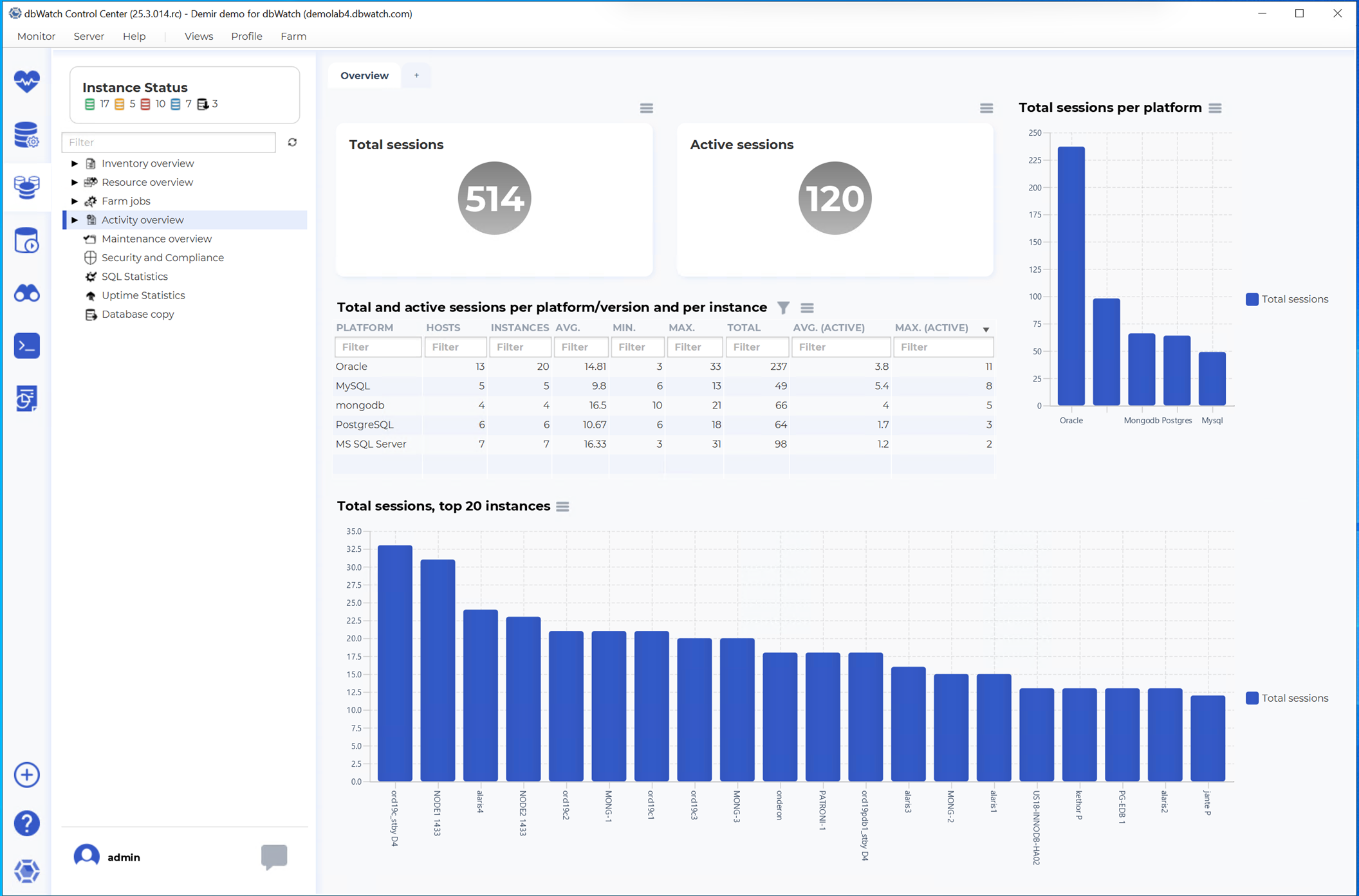
The Farm Activity overview displays consolidated session statistics:
- Total sessions
- Active sessions
- Sessions per platform/version and per instance
- Total sessions per platform
- Top 20 instances by total sessions
Farm Maintenance Overview
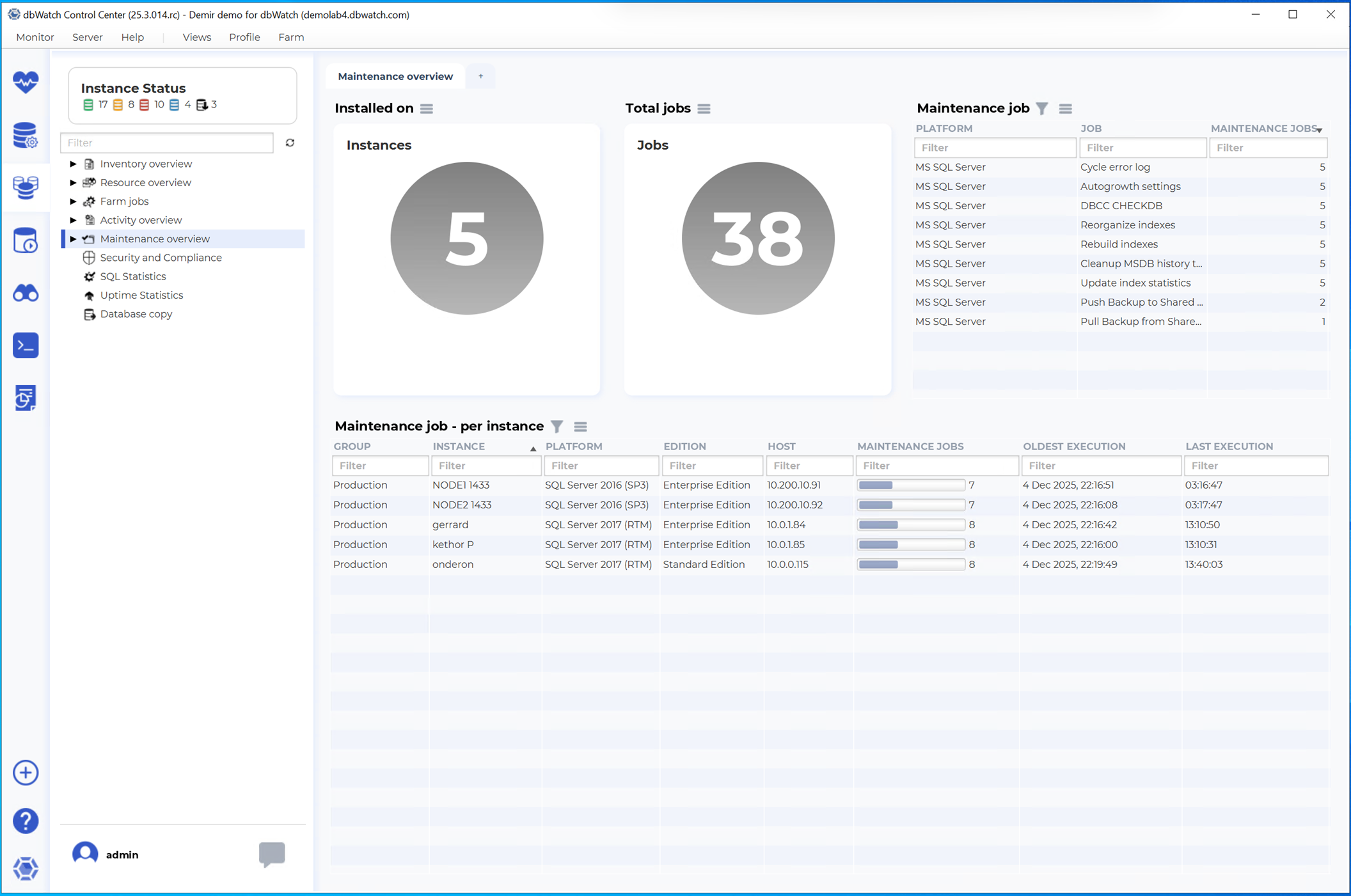
The Maintenance overview summarizes the maintenance jobs installed across instances:
- Number of dbWatch CC maintenance jobs installed
- Total number of maintenance jobs
- Maintenance jobs per instance
- Types of maintenance jobs
Farm Security and Compliance View
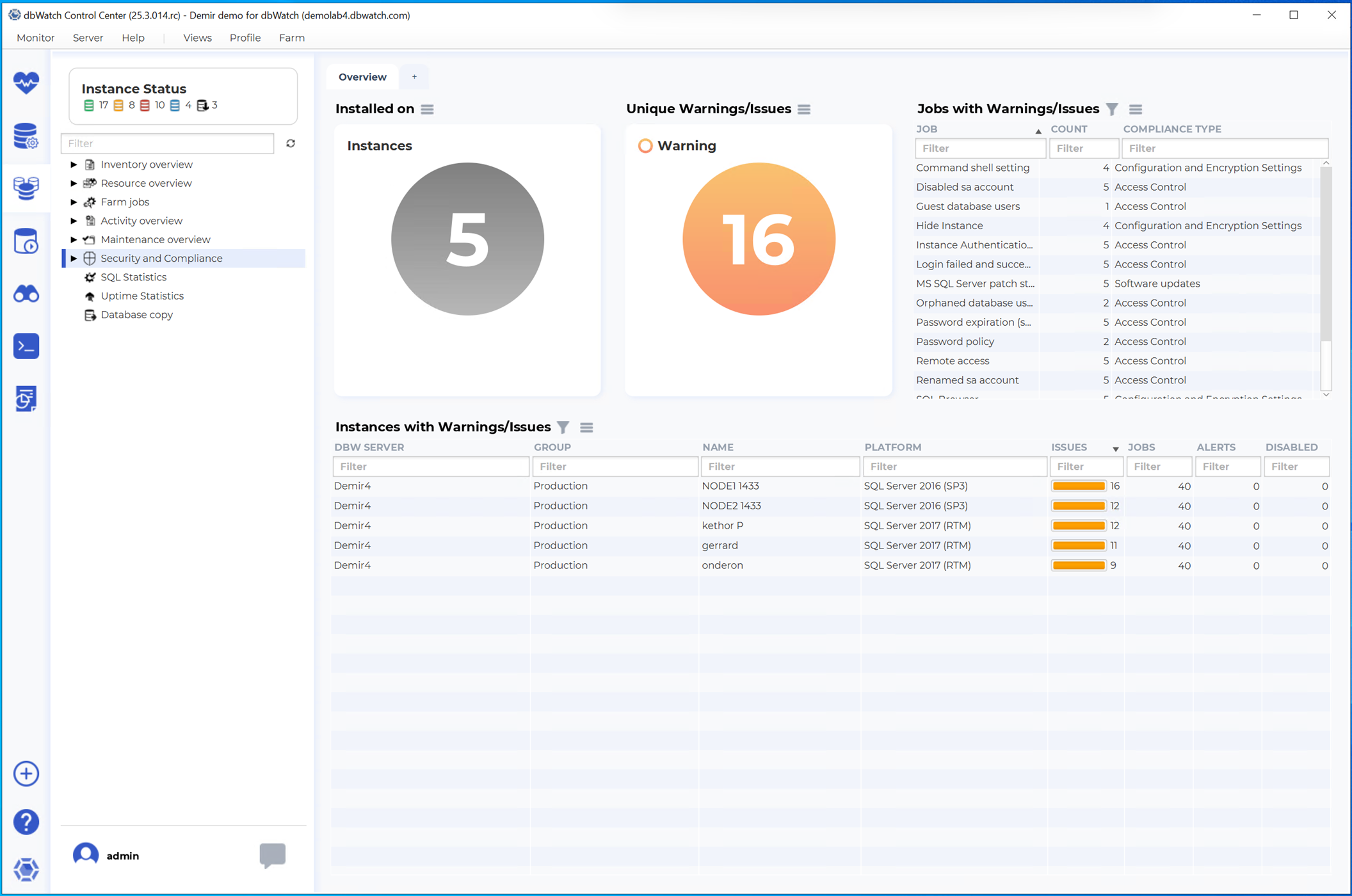
The Security and Compliance view presents an overview of:
- Security and Compliance jobs installed on instances
- Unique warnings or issues detected
- Jobs with warnings or issues
- Instances with warnings or issues
Farm SQL Statistics View
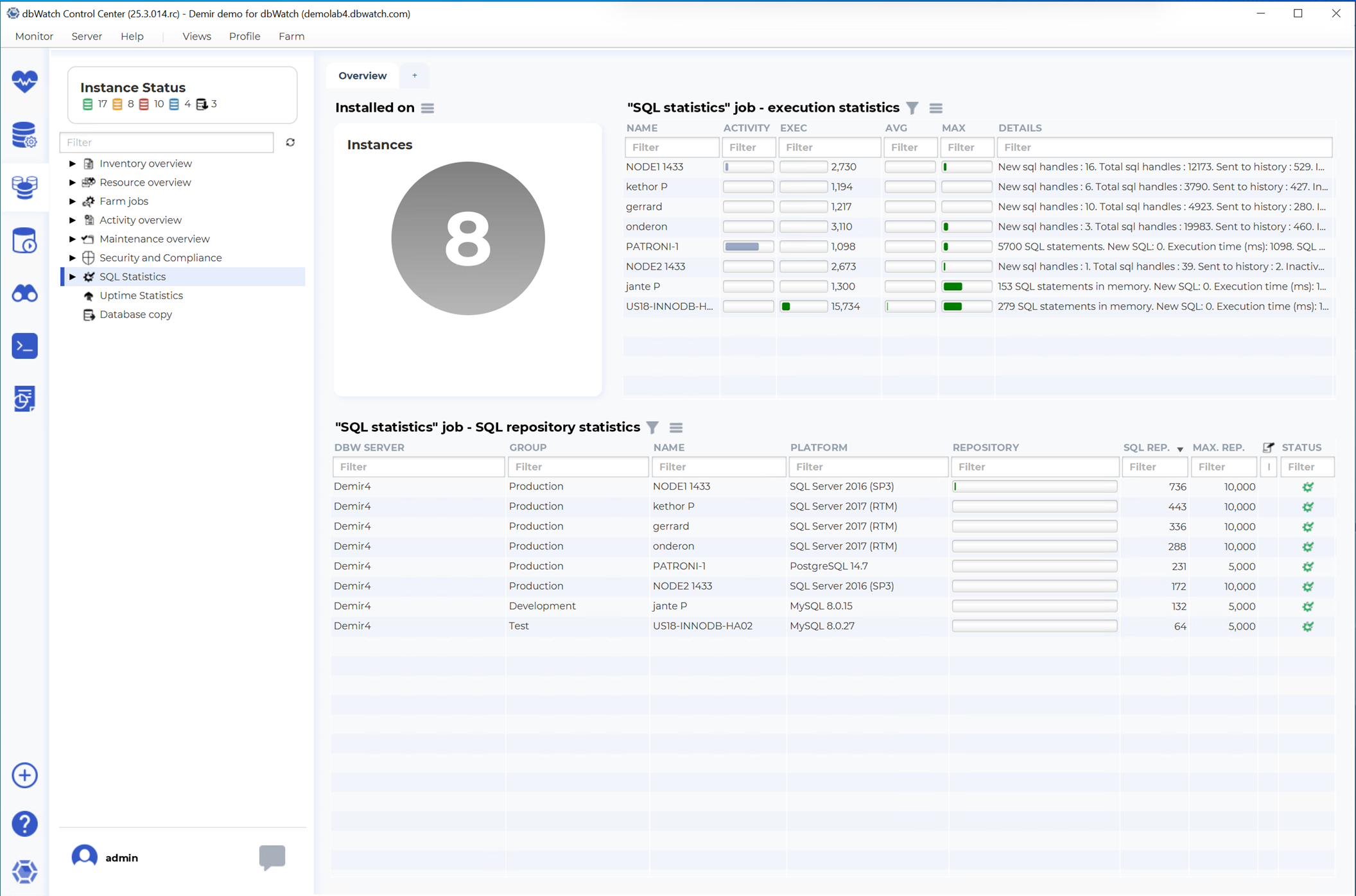
The SQL Statistics view shows:
- Number of SQL-statistics jobs installed
- Execution statistics for this jobs
- SQL repository statistics (dbWatch server, group, name, platform, repository)
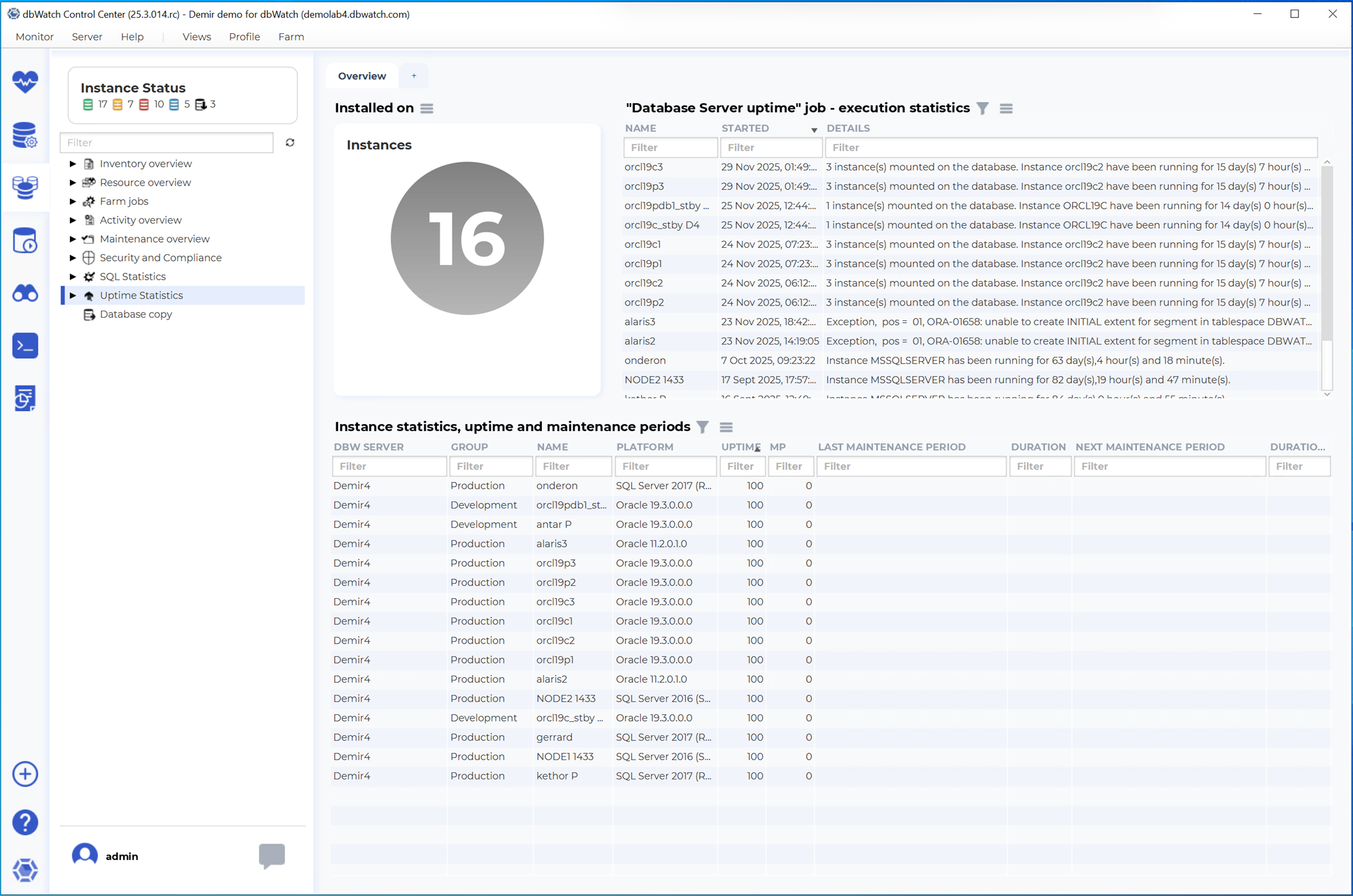
Farm Uptime Statistics View
The Uptime Statistics view includes:
- Number of uptime jobs installed
- Database server uptime information
- Execution statistics
- Instance uptime and maintenance period summaries
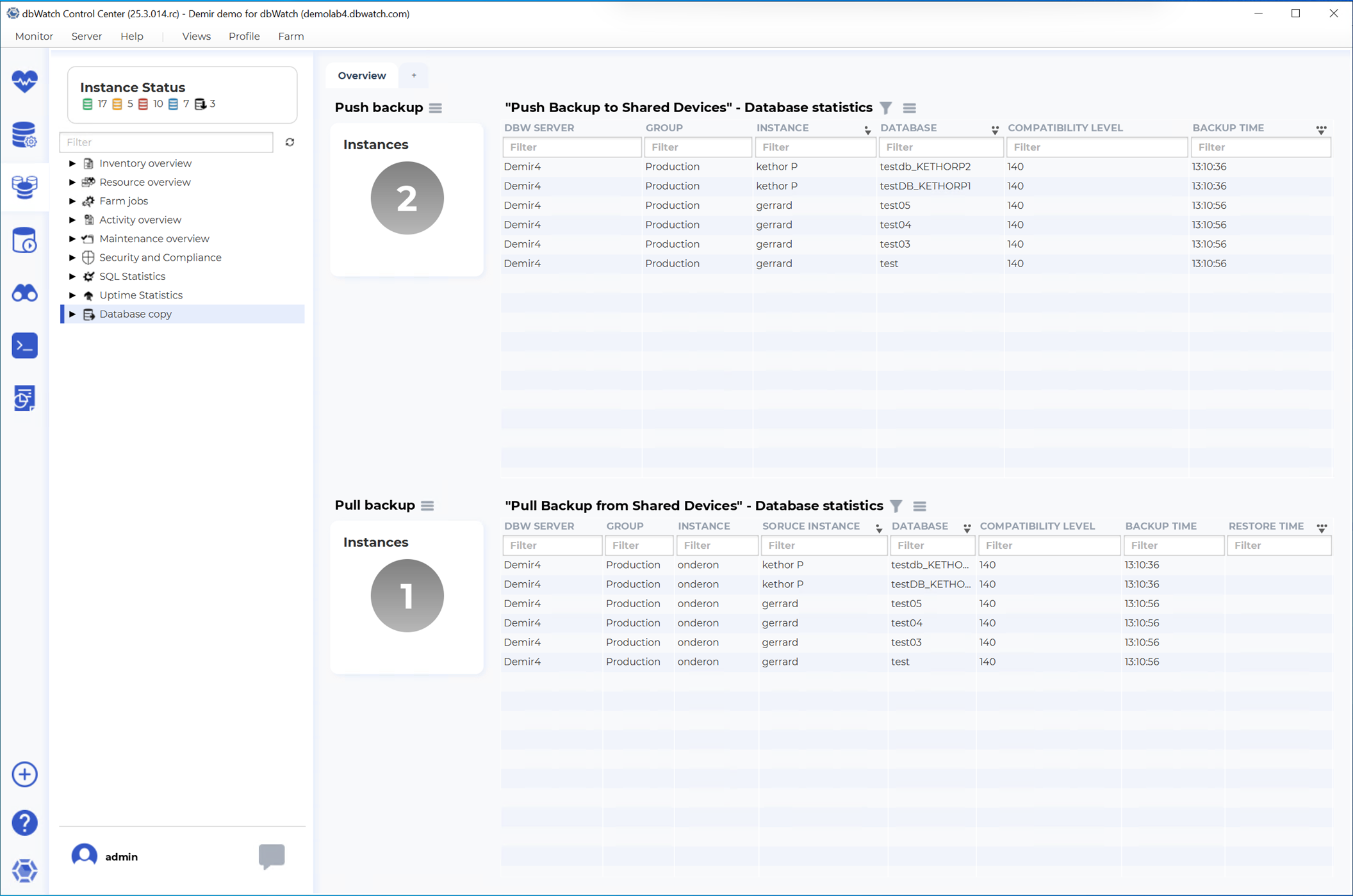
Farm Database Copy Overview
The Database Copy view summarizes backup copy jobs across the farm:
- Number of Push backup instances
- Number of Pull backup instances
- Push and Pull operations to and from shared devices
- Database-level copy and transfer statistics